Your Live Demo:
Place a Call Now!

Our AI assistant takes phone orders for takeaways
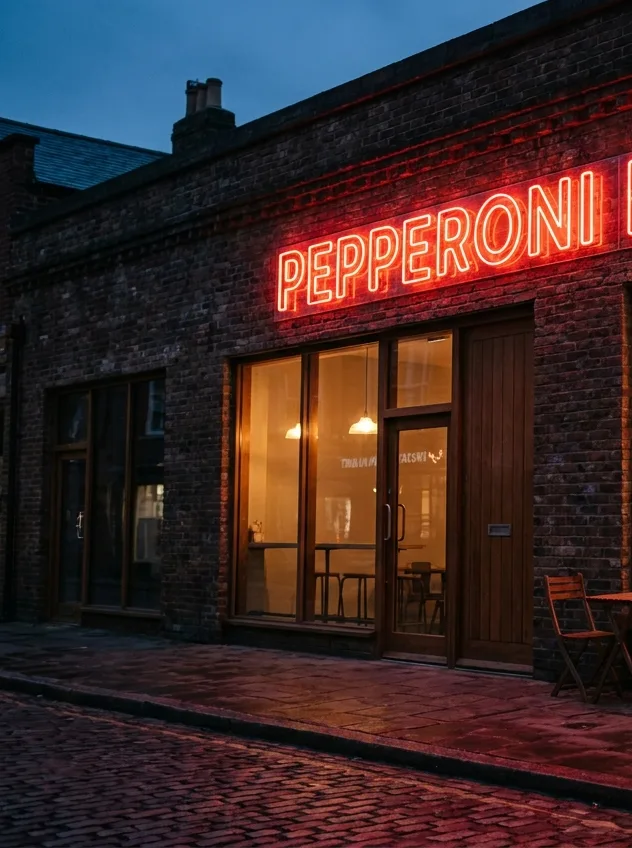
Pepperoni Palace pizza restaurant storefront with neon sign

Your questions answered

How do I create my own AI Receptionist demo with Alayic?
Sign up for a free Alayic account at console.alayic.com, enter your business details, upload your knowledge base (FAQs, menu, services, pricing), pick a voice and accent, and your demo AI Receptionist is generated. You can make unlimited test calls immediately - no card details, no contract, no commitment.
How accurate is a self-built AI Receptionist demo compared to a fully tuned production agent?
A self-built demo uses the same speech recognition, natural language understanding and voices as the production agent, so behaviour on common questions is virtually identical. Production tuning typically improves edge-case routing, custom integrations and brand-specific phrasing, but the demo is a faithful preview of what customers will hear on day one.
Can I share my AI Receptionist demo with colleagues or test it from any phone?
Yes. Each demo agent gets a real test phone number that you can call from any phone, anywhere in the world, and share with colleagues, friends or stakeholders. You can also forward a spare business number to the demo to test it under realistic conditions before committing to a paid plan.
What happens to my demo when I move to a paid Alayic plan?
Your demo agent and its knowledge base carry across to your paid plan automatically - there is no rebuild step. You simply forward your real business number to the agent and choose a tier that fits your call volume. Any tuning you did during the demo phase is preserved.
Get more answers